Google reviews are critical for businesses in 2025. They influence customer decisions, boost local search visibility, and directly impact revenue. Managing these reviews effectively is no longer optional - it's essential. Here's what you need to know:
- Why Reviews Matter: They act as social proof, shape first impressions, and improve search rankings.
- AI-Powered Solutions: Tools like CommentAssist automate responses, analyze trends, and save time.
- Profile Optimization: Keep your Google Business Profile accurate, visually appealing, and up-to-date.
- Collecting Reviews: Use follow-up emails, QR codes, and verbal requests to encourage feedback.
- Responding to Reviews: Be prompt, professional, and empathetic - especially with negative feedback.
- Using Review Data: Analyze trends to improve operations and highlight positive reviews in marketing.
How to improve Google Reviews: 15 Tactics to Try
Setting Up and Optimizing Your Google Business Profile
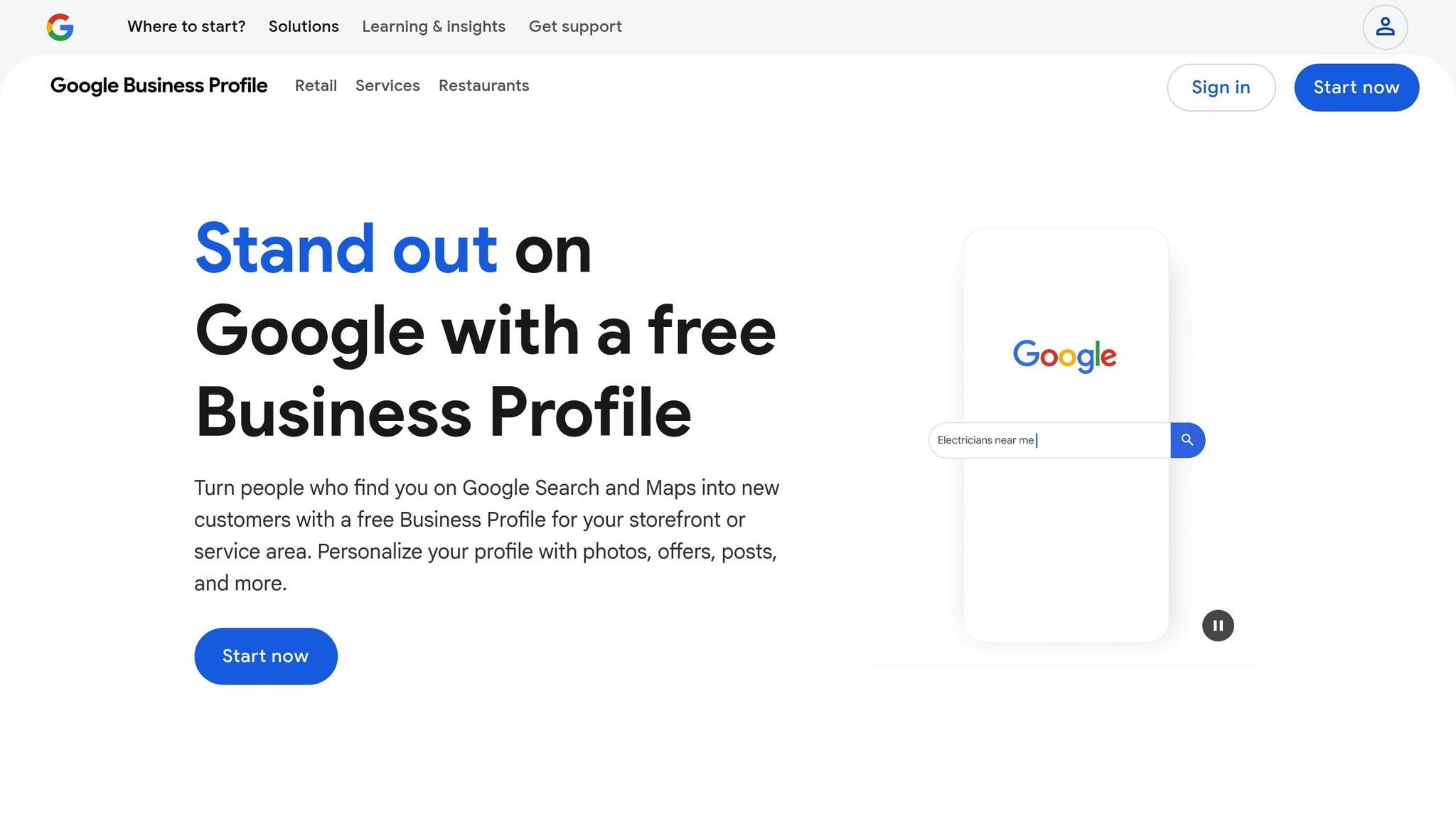
Your Google Business Profile is the backbone of your review management strategy. Without a well-structured and optimized profile, even the most thought-out review response plans won’t deliver their full impact. A properly set up profile ensures customers can find accurate and reliable information about your business.
How to Create and Verify Your Profile
To get started, visit the Google Business Profile website and click on "Manage now." Enter your business name exactly as it appears on your storefront or official documents (e.g., "Johnson's Auto Repair LLC"). This precision is crucial for consistency and credibility.
Next, choose the business category that best describes your services. Google offers a wide range of options, so be specific. For example, a restaurant should select "Restaurant" rather than a broader category like "Food & Beverage Company." Your choice will influence the features available to your profile and how Google displays your business in search results.
When entering your address, include the full details: street, city, state abbreviation, and ZIP code. For phone numbers, stick to the standard U.S. format: (555) 123-4567. This ensures Google displays your contact information correctly.
Verification typically involves receiving a postcard from Google within 5–7 business days. The postcard includes a code you’ll need to enter online to confirm your business location. Some businesses may qualify for instant verification via phone or email, but most will go through the postcard process.
If your business operates as a service-area business (e.g., plumbing or home cleaning), you can hide your physical address and instead specify the areas you serve. You can define these areas by city, ZIP code, or even a radius up to 100 miles.
Once verified, the next step is fine-tuning your profile to boost local visibility.
Optimizing Your Profile for Better Visibility
After verification, the goal is to make your profile as appealing and informative as possible. Start by uploading high-quality photos that represent your business. Aim for 10–15 images that showcase your storefront, interior, products, team, and customers enjoying your services. Photos should be clear and at least 720 pixels wide to look professional.
Use the business description section to highlight what sets you apart. You have 750 characters, so make them count. Instead of generic statements like "We provide excellent service", focus on specifics: "Family-owned Italian restaurant serving handmade pasta and wood-fired pizzas since 1987, with outdoor seating and live music on weekends."
Be precise with your business hours, including holiday hours. Many businesses lose customers by displaying outdated or incorrect hours, especially during busy times like Black Friday or the week between Christmas and New Year’s.
Leverage the attributes section to showcase features that matter to your customers. For example, a restaurant might highlight "Outdoor seating", "Wheelchair accessible", or "Good for kids." Retail stores can emphasize options like "In-store pickup", "Same-day delivery", or "Women-owned." These details help customers find businesses that meet their preferences.
Keep your profile fresh by regularly posting updates. Use the Posts feature to share news about new products, special promotions, events, or behind-the-scenes content. Posts remain visible for seven days (or until the event date for event-specific posts), so maintaining a consistent posting schedule keeps your business active in search results.
Keeping Information Consistent Across Locations
For businesses with multiple locations, consistency is key. Each location should have its own Google Business Profile, but the information format must remain uniform across all profiles.
Develop a master template that outlines your business description, photo style, and attribute selections. While each location can include unique details, such as local hours or specific services, the overall format should stay consistent.
Business hours often vary between locations due to local regulations or regional preferences. Clearly document these differences and ensure all profiles are updated whenever changes occur. Providing outdated hours can frustrate customers and lead to negative reviews.
Stick to consistent naming conventions for all locations. For example, use "Business Name – City" rather than varying names like "Business Name Downtown" or "Business Name West Side." A standardized naming system helps customers easily identify your locations.
Regularly monitor all profiles for unauthorized edits. Google allows users to suggest changes to business information, and some of these suggestions might be inaccurate. Set up notifications for each profile so you can quickly address any changes that could confuse customers or harm your search rankings.
Assign location managers and rely on your master template to keep profiles accurate and consistent across all locations. This ensures customers always have the right information, no matter which location they visit.
Best Practices for Collecting and Managing Google Reviews
To maintain a steady flow of Google reviews, focus on making the process simple for customers while using smart tools to track and respond to feedback quickly. Here's how to do it effectively.
Active Review Collection Methods
The easier it is for customers to leave a review, the more likely they are to do it. Timing is key - ask for reviews right after a positive experience, whether it’s a successful purchase, a completed service, or a great interaction with your team.
Here are some practical ways to encourage reviews:
- Follow-Up Emails: Send a quick email 24–48 hours after the customer’s experience. Use a straightforward subject line like "How was your experience with [Business Name]?" and include a direct link to your Google Business Profile review section.
- QR Codes: Display QR codes on receipts or at checkout counters. Scanning the code should take customers straight to your review page.
- Website and Email Prompts: Add clear calls-to-action on your website’s contact page, after checkout, or even in email signatures with phrases like "We’d love your feedback" or "Share your experience with us."
- Text Messages: Send brief text messages that include a direct link to your review page, making it as easy as a tap.
Don’t underestimate the power of a personal touch. Train your team to make polite verbal requests at the right moment. A simple, genuine comment like, "If you enjoyed your visit today, we’d really appreciate a Google review", can go a long way without feeling forced or awkward.
Once reviews start rolling in, automated tools can help you stay on top of them, ensuring you never miss a chance to respond.
Using AI Tools for Review Monitoring
As your review count grows, keeping up with every comment can feel overwhelming. That’s where AI-powered tools like CommentAssist come in handy. These tools provide round-the-clock monitoring, send out automated review requests, and make responding to reviews a breeze - often with just a few clicks. This not only saves time but also ensures you’re always aware of customer feedback, allowing you to focus on other priorities.
Managing Reviews and Following Guidelines
Once you’ve collected reviews, managing them properly is crucial to maintain trust and comply with Google’s policies. Mishandling reviews can lead to penalties or even suspension of your Google Business Profile, so it’s important to follow these guidelines:
- Avoid Incentives: Never offer discounts, freebies, or rewards in exchange for reviews. Google can detect this and may remove reviews or penalize your profile.
- Handle Fake Reviews: If you suspect a review is fake, flag it through your Google Business Profile dashboard by clicking the three dots next to the review and selecting "Flag as inappropriate." Google will investigate, though it may take several days or weeks.
- Report Problematic Content: Use Google’s flagging system for reviews that include profanity, personal attacks, or irrelevant content. However, avoid flagging legitimate negative reviews - this can damage your credibility.
For negative reviews, respond professionally. Acknowledge the customer’s concerns, apologize if necessary, and offer to resolve the issue privately. Public replies show that you take feedback seriously and care about improving.
Make it a habit to audit your reviews regularly. Leaving feedback unanswered - especially negative feedback - can give the impression that customer service isn’t a priority. Aim to respond to all reviews within 24–48 hours, giving extra care to addressing complaints or concerns. Publicly responding to reviews not only helps resolve issues but also demonstrates your commitment to excellent service to future customers.
How to Respond to Google Reviews
How you respond to Google reviews can have a lasting impact on your customer relationships. Every review - whether glowing praise or harsh criticism - is a chance to demonstrate how you value feedback and treat your clients.
Responding Quickly with a Professional Tone
Timing is everything when it comes to review responses. In the U.S., customers generally expect businesses to reply within 24–48 hours. A prompt reply shows you're attentive and care about customer opinions.
Keep your tone friendly and professional, even when faced with criticism. Staying calm and solution-oriented is key. Begin every response by thanking the customer for their feedback - this small gesture resonates strongly in American customer service culture.
For positive reviews, go beyond a generic thank-you. Highlight something specific from their feedback. For example, instead of saying, "Thanks for the review", you could say, "Thank you, Sarah! We're so glad you enjoyed our weekend brunch special and found our staff welcoming."
When addressing negative reviews, acknowledge the issue, take responsibility where it’s warranted, and propose a way to make things right. Avoid being defensive or making excuses - this can escalate the situation instead of resolving it.
As your business grows and reviews multiply, using AI tools can help you respond efficiently while maintaining a consistent tone.
Using AI for Scalable, Personalized Responses
Responding to an increasing number of reviews - especially for businesses with multiple locations - can be overwhelming. That’s where AI-powered tools like CommentAssist come in handy. These tools help you maintain a steady flow of professional, personalized responses.
CommentAssist allows you to scale your efforts from handling a few reviews to managing hundreds each month. It generates replies tailored to each customer’s feedback while staying true to your brand’s voice. This helps you maintain a polished and consistent approach across all interactions.
You can also create custom templates for common situations, ensuring your responses feel authentic but remain efficient. Over time, the system learns your preferences, improving its suggestions and making your workflow even smoother.
Turning Negative Reviews into Opportunities
Negative reviews don’t have to be a business nightmare - they’re a chance to show off your customer service skills. In fact, how you handle criticism can leave a bigger impression on potential customers than the complaint itself.
Start by acknowledging the customer’s frustration. Use empathetic language like, "I understand how frustrating this must have been" or "Thank you for bringing this to our attention." This approach helps defuse tension and shows you’re listening.
Next, take responsibility if a mistake was made. People respect businesses that admit fault and work to improve. Phrases like "We fell short of our usual standards" or "This isn’t the experience we want our customers to have" can go a long way.
Then, offer a clear solution and invite the customer to continue the conversation privately. Share your direct contact information or ask them to message you through your Google Business Profile. This not only helps resolve the issue but also shows other readers that you’re committed to making things right.
Don’t forget to follow up after resolving the matter. Many customers will update their original review - or even leave a new one - once they see your dedication to resolving their concerns. This extra step can turn a dissatisfied customer into a loyal advocate.
sbb-itb-5375359
Using Google Review Data for Business Growth
Google reviews do more than just reflect your reputation - they offer a treasure trove of insights to help your business grow. With 81% of internet users checking reviews before making a purchase, these customer opinions provide a direct window into their experiences and expectations.
The key isn’t just collecting reviews but analyzing them for patterns and actionable insights. Let’s explore how to break down review sentiments and use them to guide smarter business decisions.
Understanding Review Trends and Customer Sentiment
Raw review data can be overwhelming, but when properly analyzed, it becomes a powerful tool. In fact, 54% of companies now use sentiment analysis to turn reviews into meaningful customer insights.
Tools like CommentAssist can help simplify this process by using AI to break down reviews into clear, actionable themes. For example, you might uncover recurring complaints about a pool being too cold or a lack of vegan options. This detailed analysis allows you to track how customers feel about specific aspects of your business.
For businesses with multiple locations, comparing reviews across branches can be incredibly useful. One location might struggle with service issues, while another faces challenges with food quality. These comparisons let you focus your efforts where they’re needed most, addressing specific problems instead of applying blanket solutions.
By understanding customer sentiment, you can not only improve operations but also identify areas where your business can stand out.
Using Review Data to Improve Operations
Customer feedback is a roadmap for operational improvements. Analyzing negative reviews, in particular, helps you identify recurring issues instead of dismissing them as isolated incidents.
Consider implementing a Negative Review Recovery Protocol that automatically flags 1-3 star reviews for immediate attention by business owners or department heads. This creates a feedback loop that addresses problems before they escalate.
Staff training often emerges as a common solution. If multiple reviews mention slow service or unfriendly staff, it’s a clear sign that training should be a priority. Similarly, product-related complaints can guide quality control processes or even prompt discussions with suppliers. Some businesses go a step further, using review data to refine their offerings entirely. For instance, a restaurant might expand its menu to include gluten-free options after spotting repeated customer requests, or a retail store might extend its hours based on popular demand.
The ultimate goal is to identify root causes and take proactive measures to prevent negative trends. With the help of advanced AI tools, you can even uncover subtle issues that traditional methods might miss.
While addressing service gaps is essential, don’t overlook the potential of positive reviews to elevate your brand.
Using Positive Reviews for Marketing
Positive reviews are a goldmine for marketing. They act as social proof, showing potential customers why others trust your business.
To make the most of them, focus on your strongest reviews - those that highlight specific benefits, name employees, or share detailed positive experiences. These reviews feel more authentic and relatable than generic praise.
Incorporate excerpts from these reviews into your advertising, website, and social media. Many businesses create dedicated testimonial sections that feature standout Google reviews alongside customer names and star ratings. For social media, positive reviews are ready-made content - share screenshots (with permission) or create graphics to highlight glowing feedback. This approach builds trust without coming across as overly promotional.
Email campaigns can also benefit from integrating reviews. Including a recent, positive review in newsletters or promotional emails reinforces your credibility and reminds customers why they chose you in the first place.
The numbers back this up: businesses with 50+ reviews see 35% more revenue compared to those with fewer reviews, and each additional star in your average rating can boost revenue by 5-15%. Don’t forget the importance of responding to reviews - whether they’re positive or negative. Businesses that respond to 100% of their reviews see a 16.4% increase in conversion rates compared to those that don’t respond at all. Your response strategy becomes a subtle but effective part of your marketing, showcasing your commitment to customer relationships and feedback.
Managing Reviews for Multi-Location and Large Businesses
Handling reviews across multiple locations can get tricky without a solid plan. A complaint about parking at a downtown store is very different from a service issue at a suburban branch, but both need responses that align with your brand's tone and values. To navigate this complexity, a centralized approach is key.
Centralized Review Management for Multiple Locations
Instead of letting each location manage its own reviews independently, centralize the process. A centralized dashboard gives you a clear view of all locations while still allowing for tailored responses. For instance, platforms like CommentAssist let you monitor reviews for all your Google Business Profiles in one place, making it easier to spot trends and respond quickly.
Centralization offers several benefits. It helps you identify recurring issues across locations - like if multiple branches receive similar complaints, signaling a bigger company-wide problem. It also simplifies tracking response times, so you can prioritize locations that need immediate attention without sifting through individual profiles.
This approach also boosts accountability. You can assign specific team members to oversee reviews for certain locations or types of feedback, ensuring no review slips through the cracks. This is especially helpful for businesses with regional managers who handle specific territories.
Scaling AI Responses Across All Locations
Once your reviews are centralized, scaling responses with AI can help maintain consistent and personalized engagement. Let’s face it - manually responding to every review isn’t practical as you grow. AI tools, when trained with location-specific details, can provide consistent responses while adapting to local contexts.
For example, AI systems like CommentAssist can be trained to include details such as store hours, manager names, or local amenities in responses. A review about parking at a mall location might include information about parking validation, while one about wait times at a downtown store could mention mobile ordering options.
The trick is to use flexible response frameworks instead of rigid templates. This allows AI to adjust its tone and content based on the review’s specifics and the location’s context. To ensure quality, set up approval workflows for sensitive or negative reviews so a human can step in when needed.
Following FTC Guidelines and Regulations
For multi-location businesses, staying compliant with Federal Trade Commission (FTC) guidelines is a must. The FTC has strict rules about fake reviews, incentivized feedback, and deceptive practices - issues that become more challenging to manage at scale.
The FTC considers reviews that don’t reflect genuine customer experiences as deceptive advertising. This includes reviews from employees, friends, family, or paid reviewers. Implement systems to detect and prevent these patterns across all locations.
Be cautious with incentivized reviews. While you can encourage customers to leave reviews, offering rewards for positive feedback is against the rules. The FTC allows general incentives for leaving any honest review, but these incentives can’t be tied to the review’s content or rating.
Train your staff thoroughly on what’s allowed when soliciting reviews. Employees can encourage happy customers to share their experiences online, but they shouldn’t offer discounts or rewards in exchange for favorable reviews. They also shouldn’t try to manipulate or remove negative reviews.
Keep detailed records of your review collection practices, staff training, and customer communications. If the FTC investigates, having clear documentation can protect your business.
The FTC is cracking down on businesses with questionable review practices, and violations can lead to hefty fines. For multi-location companies, an issue at one branch can impact the entire operation, making consistent compliance training and monitoring across locations essential.
Transparency is the cornerstone of effective review management. Be upfront about any relationships with reviewers, avoid misleading practices, and ensure your responses are honest. Not only does this keep you compliant, but it also helps build trust with your customers across all locations.
Google Review Management Implementation Guide
This guide builds on earlier strategies by breaking them into specific, actionable steps to help you manage your Google reviews effectively. With a clear roadmap, you can start implementing these practices right away.
Profile Setup and Optimization Checklist
Your Google Business Profile is the cornerstone of your review management efforts. Start by claiming and verifying your profile - this gives you full control over how you manage and respond to reviews. Without verification, you won’t be able to respond to feedback or maintain your online presence effectively.
Make sure your Name, Address, and Phone (NAP) details are accurate and consistent across all platforms. This not only boosts your local SEO but also builds trust with your audience. For instance, Gold Oil Company strengthens customer confidence by clearly displaying accurate NAP information.
Don’t forget to upload high-quality photos regularly. A great example: one café saw its Knowledge Panel impressions double in just one month after consistently adding new images.
If you operate multiple locations, ensure all listings have consistent information and keep an eye out for unauthorized changes. Additionally, update key details like operating hours, website links, categories, and contact information on a monthly basis to avoid discrepancies that could harm your local SEO.
Daily, Weekly, and Monthly Review Tasks
Once your profile is fully optimized, keep the momentum going with a consistent schedule for managing reviews. Regular attention to reviews ensures you stay on top of customer feedback and maintain your online reputation.
- Daily Tasks: Use real-time alerts from review management software or Google Business Profile notifications to monitor new reviews. Tools like CommentAssist can simplify this process, especially for businesses with multiple locations. Aim to respond to negative reviews within 1 hour and to all others within 24–48 hours. For urgent negative feedback, escalate immediately and use AI-generated drafts as a starting point, but always customize them to reflect your brand’s voice.
- Weekly Tasks: Take a deeper look at customer feedback to spot recurring trends. For example, one restaurant discovered that 60% of its negative reviews mentioned long wait times, prompting operational changes to address the issue. Also, check for duplicate or incorrect listings across platforms and resolve any inconsistencies.
- Monthly Tasks: Analyze overall review trends to identify areas for improvement. Update your response templates to keep them relevant and aligned with your brand’s tone. Adjust your strategies as needed to ensure your Google Business Profile stays up-to-date.
Conclusion: Managing Google Reviews with AI in 2025
Handling Google reviews has come a long way, evolving from simply replying to feedback into a key part of business strategy. In 2025, companies that excel understand the importance of using AI-driven tools to stay ahead and protect their online reputation. AI has turned review management into a powerful tool for driving growth, rather than just another task on the to-do list.
Take CommentAssist, for example. This tool demonstrates how AI simplifies the challenges of managing reviews. With features like automated monitoring, tailored response creation, and insightful analytics, it ensures businesses can maintain consistent engagement across multiple locations - all while freeing up time to focus on what matters most: running the business.
The real trick to success lies in striking the right balance between automation and human input. AI handles the heavy lifting, such as real-time monitoring, generating responses, and spotting trends, while you retain control over your brand's voice and big-picture decisions. This combination ensures a smarter, more efficient approach to growth.
As customer expectations continue to rise, businesses that integrate AI into their review management processes will gain a clear edge. They'll respond quicker, uncover areas for improvement faster, and build deeper connections with their customers. If you're ready to stand out and grow, now's the time to explore AI-powered solutions for managing your reviews.
FAQs
How can AI tools like CommentAssist make managing Google reviews easier for my business?
AI tools like CommentAssist simplify managing Google reviews by automating essential tasks. They assist in gathering reviews effectively, generating tailored responses with AI, and notifying you instantly when new feedback comes in. These tools also analyze customer sentiment, helping you spot trends and gain insights to address feedback thoughtfully and boost customer satisfaction. By cutting down on time spent and offering useful data, they help you strengthen your online reputation and foster trust with your audience.
How can I respond to negative Google reviews without hurting my business's reputation?
Responding to negative reviews with care and professionalism can go a long way in maintaining, and even improving, your business's reputation. Aim to reply within 24 hours to demonstrate that you value customer input. Make your response feel personal by addressing the reviewer by name if you can. Offer a genuine apology for their experience, steering clear of defensive or confrontational language. Focus on finding a solution by inviting them to continue the conversation privately, whether through a phone call or email. Lastly, express gratitude for their feedback - it reflects your commitment to growth and customer satisfaction.
How can I use Google reviews to make smarter decisions that boost my business and improve customer satisfaction?
To get the best out of Google reviews, start by diving into the feedback to uncover patterns and pinpoint areas where you can improve. This information can help you refine both your customer experience and marketing strategies. When you respond to reviews - quickly and thoughtfully - it not only builds trust but also shows your customers that their opinions matter.
Consider using sentiment analysis to gauge customer satisfaction. You can even showcase glowing reviews on your website or social media to draw in more potential customers. Keeping an eye on the number of reviews and how quickly you respond ensures you stay engaged, continually enhance your approach, and keep your business moving forward.