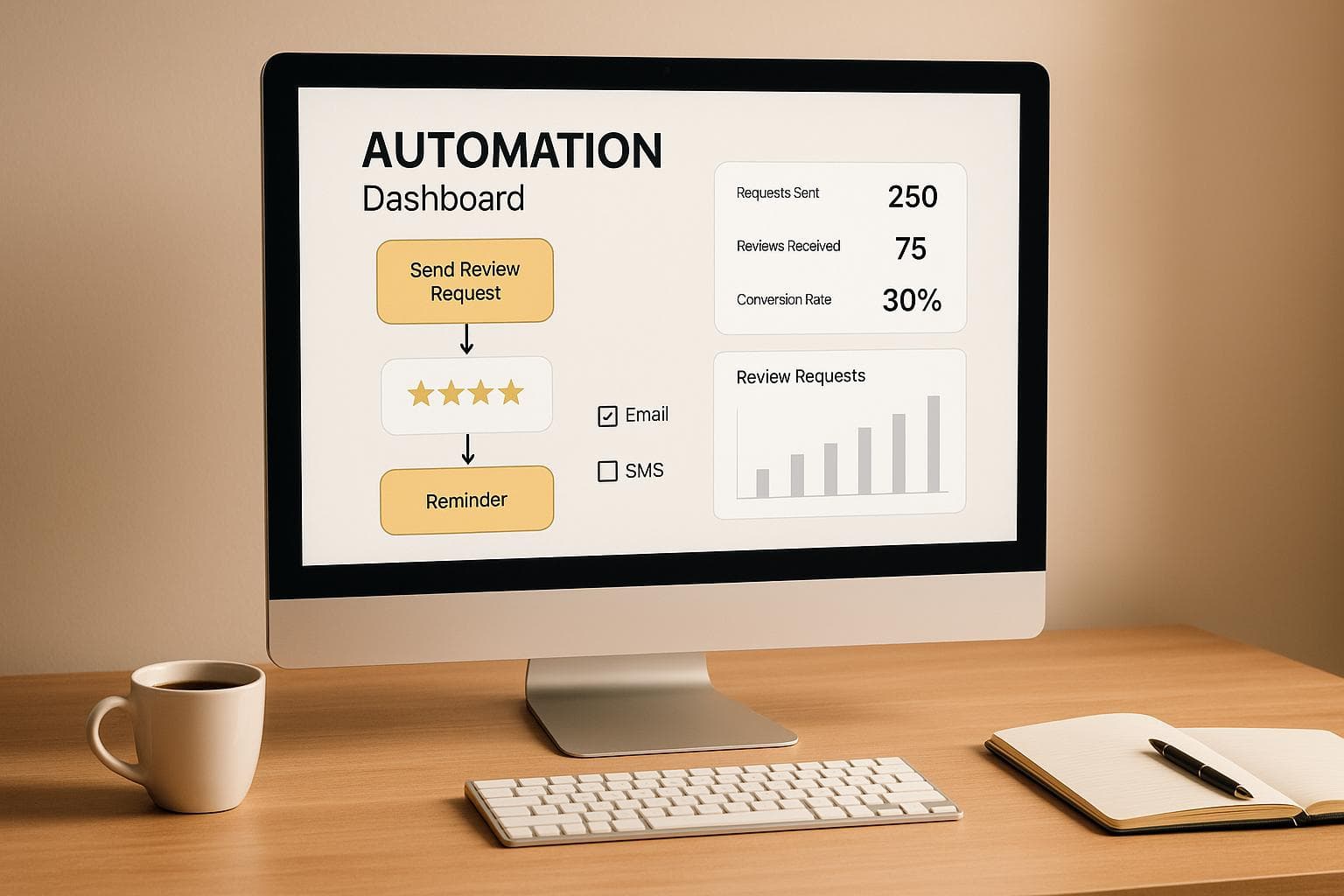
Automating review requests can save time, improve consistency, and help businesses gather more customer feedback. Here's a breakdown of why and how to do it:
- Why It Matters: Reviews influence visibility, trust, and customer decisions, with 93% of buyers relying on them. Manual methods are time-consuming and often inconsistent.
- Challenges of Manual Requests: Forgetting to ask, poor timing, and lack of personalization lead to low response rates.
- Benefits of Automation:
- Sends timely, personalized requests automatically.
- Increases response rates with SMS (98% open rate).
- Frees up time for other priorities.
- Platform Rules:
- Google: Neutral requests allowed; no incentives or filtering.
- Yelp: Direct requests discouraged; focus on passive promotion.
- Steps to Automate:
- Choose a tool that integrates with your CRM or POS.
- Set up triggers for sending requests after transactions.
- Personalize messages with names and details.
- Use multiple channels (SMS, email) for better outreach.
Automating review requests and managing responses with AI tools like CommentAssist can boost review rates by 20–30% and improve customer satisfaction. Follow platform guidelines to stay compliant and build trust.
Easily Automate Review Requests in HighLevel
Platform Guidelines for Review Requests
Knowing the rules of each review platform isn’t just about avoiding penalties - it’s about creating a sustainable and trustworthy review strategy. What works on Google might not fly on Yelp, so understanding the nuances is key. Let’s break down the essentials for staying compliant.
Google's Review Policies
Google allows businesses to request reviews, but there are strict rules to follow. The golden rule? Keep it neutral. Every customer must have an equal chance to leave honest feedback.
What’s not allowed? Offering incentives like discounts, coupons, or free products in exchange for reviews is strictly forbidden. For example, you can’t say, “Leave us a review and get 10% off your next purchase.” Violating this rule could lead to reviews being removed or even penalties on your account.
Another no-go is review gating, which means filtering customers before asking for reviews. You can’t send requests only to customers who seem happy with your service. Google insists that all customers, regardless of their experience, have the same opportunity to provide feedback.
On the bright side, Google does let you request reviews through various channels like email, SMS, or even in person. The key is to stay neutral - encourage honest feedback rather than specifically asking for glowing reviews.
Failing to follow these rules can have serious consequences. Businesses that ran incentivized campaigns, for instance, have reported losing a large number of reviews.
Next, let’s look at Yelp, which takes an even stricter approach.
Yelp's Review Guidelines
Yelp has a much tougher stance on review solicitation. The platform prioritizes organic, unsolicited feedback and actively discourages businesses from asking for reviews directly.
What’s prohibited? Directly asking customers to leave a review. Yelp uses advanced algorithms to detect solicitation patterns, and reviews that seem prompted may be hidden from public view.
Yelp’s enforcement can be harsh. Businesses caught soliciting reviews could face a “Consumer Alert” warning on their profile, which might reduce profile views by up to 30%. Even genuine reviews can be filtered out if Yelp’s system suspects solicitation.
However, there are ways to promote your presence on Yelp without breaking the rules. For example, you can display Yelp signage at your business, include a Yelp link on your website, or casually mention that you’re on Yelp during conversations. Just don’t explicitly ask customers to leave a review.
How to Request Reviews Ethically
When requesting reviews, the focus should always be on honest feedback, using neutral language that respects each platform’s guidelines. Here’s how to do it the right way:
- For Google: Use neutral phrasing like, “We’d appreciate your feedback on your experience.” Avoid anything that hints at asking for a positive review, like “Help us by leaving a 5-star review” or “If you were happy with our service…”.
- Timing matters. Send review requests shortly after the customer interaction, while the experience is still fresh. For service-based businesses, aim for within 24–48 hours of completion. For retail, wait until customers have had time to use the product.
- Personalize your messages. Mention the customer’s name, the specific service they received, or the date of their visit to make the request feel more genuine.
- Automation with care: For Google, automated review requests are fine as long as they’re neutral and non-incentivized. For Yelp, automation should focus on thanking customers and sharing general information, steering clear of direct review requests.
By following these ethical practices, you can maintain compliance while still encouraging feedback.
| Platform | Direct Solicitation | Incentives | Automation | Filtering | Penalties |
|---|---|---|---|---|---|
| Allowed (if neutral) | Prohibited | Permitted | Selective | Review removal, account penalties | |
| Yelp | Discouraged | Prohibited | Not recommended | All | Consumer alerts, review filtering |
It’s also important to keep an eye on any changes to platform guidelines. If reviews suddenly disappear or you receive warnings, it’s time to reassess your approach.
The ultimate goal isn’t just to follow the rules - it’s to build genuine connections with customers. Deliver excellent service, and the reviews will come naturally within each platform’s boundaries.
How to Set Up Review Request Automation
To streamline the process of gathering customer reviews, focus on three key steps: selecting the right tools, setting up workflows, and personalizing your messages. These steps will help you automate review requests effectively and ethically.
Choosing the Right Tools
The first step is finding a platform that integrates smoothly with your existing systems, like your CRM or POS. This eliminates the need for manual data entry and ensures your review requests are sent automatically. Look for tools that offer customizable templates, so you can tailor messages based on specific customer actions.
It's also important to choose a tool that supports multiple communication channels. Did you know that SMS messages boast a 98% open rate, with 95% of texts read within three minutes? That makes SMS an incredibly effective channel for reaching customers quickly. Additionally, tools with robust reporting features can help you track metrics like request volumes, response rates, and average review scores, so you can refine your approach over time.
Once you've chosen your tool, configure it with specific triggers to make the most of these features.
Setting Up Automation Workflows
Automation workflows ensure your review requests are sent at just the right moment. Use trigger-based automation to time your requests when customers are most likely to respond. For instance:
- If you run a service-based business, send a request as soon as a job is marked complete.
- In e-commerce, wait 24 to 48 hours after a purchase. This gives customers time to try out their products.
- For rental services, trigger a request once a booking is finalized.
These triggers can often be mapped directly within your CRM or POS system. Many platforms allow you to set up workflows that automatically send review requests when a customer's status changes (e.g., from "in progress" to "complete"). Some tools even let you create staff-specific review links to collect feedback on individual team members.
Once your workflows are configured, the next step is to craft messages that feel personal and engaging.
Personalizing and Scheduling Requests
Generic messages often go unnoticed, so personalization is key. Include details like the customer’s name, the specific product or service they used, and the transaction date. For example, a message like, “Hi Sarah, we hope you’re enjoying your freshly cleaned office! We’d love to hear your thoughts on our service,” feels much more authentic than a generic thank-you.
Make the process simple by including direct, clickable links to your review profiles. The best time to reach out is within 24–48 hours after the interaction, as customers are more likely to respond during this window. To refine your approach, consider A/B testing different message timings and content. Avoid sending requests during weekends or late evenings when engagement rates tend to drop.
Using multiple channels can also boost your success. Start with a quick SMS for an immediate response, and follow up with an email for customers who prefer that method. Some advanced strategies involve sending a short satisfaction survey first, directing positive feedback to public review sites while capturing any negative input privately for internal improvements. This approach helps you maintain a strong public reputation while still addressing customer concerns.
sbb-itb-5375359
How to Increase Review Response Rates
Boosting your review response rates isn't just about setting up automated workflows - it’s about fine-tuning the how, when, and where of your outreach. To get customers to respond, you need to connect with them through the right channels, at the right time, and with the right frequency.
Using Multiple Communication Channels
Reaching out through multiple channels increases the likelihood of getting reviews since not all customers communicate the same way. Among these, SMS stands out with its impressive 98% open rate - 95% of texts are read within three minutes. But every channel has its own strengths and drawbacks:
| Channel | Pros | Cons |
|---|---|---|
| SMS | High open rates, fast delivery, quick responses | Limited characters, can feel intrusive if overused, requires consent |
| Customizable, detailed messaging, easy to automate | Lower open rates, may land in spam folders | |
| Messaging Apps | Personal connection, supports rich media, high engagement | Requires opt-in, not universally used, potential privacy concerns |
A mix of these channels tends to work best. For example, using SMS for immediate engagement and following up with email can cover both quick responses and detailed communication. Many businesses see higher response rates with SMS compared to email alone.
Take customer preferences into account. Younger customers might lean toward messaging apps, while older ones may prefer email or even phone calls. Testing different combinations will help you discover what resonates most with your audience.
Once you’ve selected your channels, timing becomes the next critical factor.
When and How Often to Send Requests
The best time to send a review request is immediately after a positive interaction. For instance:
- A cleaning service could send a request as soon as the job is marked complete.
- E-commerce businesses might wait 24–48 hours after delivery, giving customers time to use the product.
Keep requests limited to one per transaction or service experience. Sending multiple requests for the same purchase can irritate customers and harm your brand.
Balancing the frequency of requests is equally important.
Avoiding Too Many Requests
Bombarding customers with frequent review requests can backfire, damaging the relationship you’ve built. To avoid this, set up rules in your automation workflows to prevent duplicate requests. For example, if a customer has already submitted a review, exclude them from future campaigns related to that transaction. Similarly, maintain suppression lists for customers who have opted out or expressed dissatisfaction.
Regularly monitor your feedback. If you notice an uptick in complaints or unsubscribe rates, it’s time to reassess your approach. A landscaping company, for example, saw better online ratings and repeat business by sending well-timed, personalized review requests and responding promptly to feedback. Their success highlights the value of fewer, more thoughtful requests over a flood of generic ones.
Finally, always make opting out easy and act on those requests immediately. Respecting customer preferences shows you value their time and trust.
Managing Reviews with AI Tools
Once you've streamlined your review collection process, the next step is effective review management. Using AI tools can simplify this task, allowing you to handle incoming reviews efficiently while safeguarding your online reputation.
AI-Powered Review Monitoring and Responses
AI tools are designed to keep an eye on major review platforms, instantly flagging new feedback. When a review comes in, the system evaluates its content and tone, then crafts a personalized response that directly addresses the customer's comments.
For example, tools like CommentAssist leverage natural language processing to create responses that feel genuine and timely. These replies can be customized to align with your brand's voice. You can choose between fully automating the process or setting up a system where responses require your approval before going live.
Responding to reviews quickly has real benefits. Businesses that engage with reviews see an average revenue boost of 12%. Plus, being responsive can improve your visibility on platforms like Google Maps. On the flip side, 57% of customers say they won’t consider a business that ignores negative reviews.
"CommentAssist has transformed how we handle customer feedback. The AI responses are professional and personalized, helping us maintain a 4.8-star rating consistently."
- Sarah Chen, Owner, Golden Dragon Restaurant
Unlike manual responses, which may take hours or even days, AI tools can reply within minutes. This speed shows customers that their feedback is valued, creating a positive impression while giving you actionable insights.
Analytics and Insights for Reputation Management
AI tools go beyond just responding to reviews - they provide detailed analytics that uncover trends and actionable insights. These platforms analyze sentiment, highlight recurring themes, and measure how well your responses are performing. For instance, CommentAssist includes advanced analytics as part of its monthly subscription.
This data can be a game-changer. If customers frequently mention issues like slow delivery, you’ll know exactly where to focus improvements. On the other hand, spotting positive patterns can help you refine your marketing strategies.
Businesses that reply to at least 25% of their reviews typically see a 35% increase in revenue compared to those that don’t engage.
"We've seen a 40% increase in positive reviews since implementing CommentAssist."
- Jennifer Adams, Principal, Adams Accounting
These analytics also help you track shifts in customer sentiment over time, offering valuable insights into how well new initiatives or service changes are being received.
Connecting AI Tools with Review Request Automation
To create a seamless feedback system, you can integrate AI review management with automated review requests. Here’s how it works: after a transaction, the system automatically sends a review request. If a review is left, the AI tool detects it and generates an appropriate response.
This setup is made possible by connecting your AI tool to your CRM or POS system. For example, when a customer completes a purchase, the system triggers a review request. If the customer leaves feedback, the AI tool steps in to analyze and respond. CommentAssist supports integrations with platforms like Google Business Profile and offers API access for custom configurations.
This integrated approach delivers measurable results. Businesses that combine automated review requests with AI-powered responses often see a 20–30% increase in review rates. At the same time, they ensure every piece of feedback is addressed promptly. The result? Higher ratings, improved customer satisfaction, and a stronger online presence.
Conclusion: Building Better Online Reputation Through Automation
Automating review requests has reshaped the way businesses manage their online reputation. With the right tools and adherence to platform guidelines, companies can save time and collect up to 50% more reviews than traditional manual methods.
Success hinges on blending ethical automation with AI-driven review management. For instance, sending personalized SMS messages to request reviews creates an efficient, repeatable system for gathering customer feedback. This steady influx of reviews not only bolsters local search rankings but also strengthens customer trust.
AI-powered tools take this process to the next level. Tools like CommentAssist streamline review management by offering automated responses, sentiment analysis, and actionable insights. These tools can seamlessly integrate with existing workflows, ensuring review requests are sent automatically and feedback is addressed promptly with AI-generated responses.
The impact of responding to reviews is undeniable - businesses can see a 12% boost in revenue by engaging with feedback. On the flip side, 57% of customers are likely to steer clear of companies that ignore negative reviews. Automated tools make it easier to stay on top of feedback, adhere to platform rules, and maximize review collection without risking penalties.
FAQs
What are the main differences between Google’s and Yelp’s review request guidelines, and how can businesses stay compliant?
Understanding the guidelines for requesting reviews on platforms like Google and Yelp is crucial for staying compliant and safeguarding your online reputation.
Google permits businesses to request reviews from customers, provided the requests are neutral and free from incentives. However, practices like "gating" - where only positive reviews are solicited or directed to Google - should be avoided to stay within their rules.
Yelp, in contrast, takes a stricter stance and discourages businesses from directly asking for reviews. Instead, Yelp suggests raising awareness by sharing your Yelp profile or using features like Yelp badges to encourage customers to leave feedback organically.
To navigate these differences, focus on delivering top-notch service and encouraging honest feedback naturally. If managing reviews feels overwhelming, tools like CommentAssist can simplify the process, helping you respond effectively and maintain a strong online presence.
How can businesses personalize automated review requests to improve response rates while staying compliant with platform guidelines?
To make automated review requests feel more personal, start by including the customer’s name and referencing their specific experience with your business. For instance, mention the product they bought, the service they used, or the date of their visit. This approach ensures the request feels tailored and sincere, rather than a one-size-fits-all message.
Keep your message polite and to the point, and include a clear call-to-action. For example: "We’d love to hear about your experience! Please take a moment to leave us a review." Be sure to follow platform guidelines, like those on Google or Yelp, to stay compliant. Avoid practices like offering incentives for reviews or asking only for positive feedback, as these can lead to policy violations.
Tools such as CommentAssist can make this process easier by helping you handle review requests efficiently, stay compliant, and focus on creating genuine connections with your customers.
How can integrating AI tools like CommentAssist with automated review request systems improve customer feedback management?
Integrating AI tools such as CommentAssist with automated review request systems simplifies the process of managing customer feedback. By automating tasks like responding to reviews and analyzing feedback, businesses can handle reviews more efficiently while keeping their tone consistent and professional.
With AI-powered insights and analytics, companies can gain a clearer picture of customer sentiment. This allows them to address issues promptly and work toward improving customer satisfaction. In turn, this integration supports a positive online reputation and strengthens customer relationships.